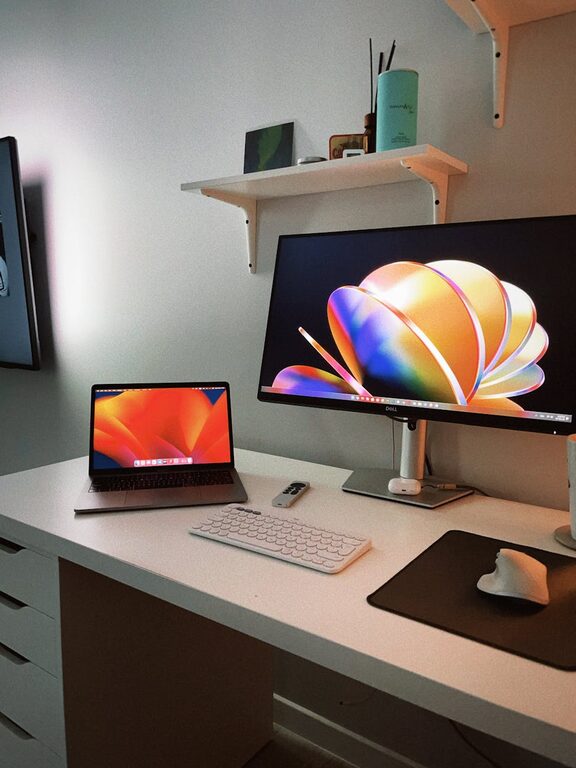




Creating an organized workspace is one of the simplest and most effective ways to boost your productivity and reduce stress. When your desk is cluttered and chaotic, it’s easy to feel overwhelmed and distracted. A tidy and well-arranged workspace encourages a clear mind, making it easier to focus on your tasks.
In this post, we’ll explore practical tips to help you organize your workspace, whether you work from home or in an office. These ideas are easy to implement and can make a significant difference in how you work every day.
Why Organizing Your Workspace Matters
Before jumping into the tips, it’s important to understand why an organized workspace matters.
– Improves concentration: A clutter-free environment reduces distractions.
– Saves time: When everything has a place, you spend less time searching for items.
– Reduces stress: A clean and orderly space creates a calming atmosphere.
– Encourages good habits: Organization often spills over to your workflow and tasks.
Step 1: Clear the Clutter
The first and most important step is to declutter your workspace.
How to Declutter Effectively
– Remove everything: Take everything off your desk and sort through it.
– Keep essentials only: Keep only the tools and items you use regularly.
– Create three piles: Keep, discard, and relocate.
– Be ruthless: If you haven’t used something in months, consider donating or recycling it.
Step 2: Define Your Workspace Zones
Organizing means not just tidying but creating functional zones.
Suggested Workspace Zones
– Work zone: Where your computer and main tools are located.
– Supply zone: Storage for pens, notebooks, and office supplies.
– Reference zone: Space for books, manuals, or documents you need handy.
– Relaxation zone: If space allows, a small area for breaks or thinking.
By clearly defining zones, you limit how much you move things around and maintain order more easily.
Step 3: Use Organizers and Storage Solutions
Investing in organizers can help contain clutter and keep items in their place.
Organizer Ideas
– Desk organizers: Trays or containers for pens, paper clips, and sticky notes.
– Drawer dividers: To separate items and avoid messy drawers.
– Shelves: Wall shelves or bookcases to keep important materials within reach.
– Cable management: Clips or sleeves to keep cords neat and tangle-free.
Step 4: Develop a Daily Cleaning Habit
Maintaining organization is easier if you integrate simple habits into your daily routine.
Tips for Daily Maintenance
– End-of-day clean-up: Spend 5 minutes tidying your desk before finishing work.
– Sort mail/document daily: Avoid piling up papers by going through them regularly.
– Discard trash immediately: Keep a small bin close to your desk for convenience.
– Reset your layout: Return everything to its assigned spot at the end of the day.
Step 5: Personalize Your Workspace Mindfully
A workspace that feels personal and comfortable can improve motivation, but it’s important to avoid clutter.
Ideas for Mindful Personalization
– Add a small plant for freshness and color.
– Use inspirational quotes or artwork that encourages focus.
– Choose a comfortable chair or supportive accessories to improve posture.
– Limit decorations to a few meaningful items to avoid distractions.
Step 6: Manage Digital Clutter Too
Organizing a workspace isn’t only physical—it’s also about your digital space.
Digital Organization Tips
– Organize files into clearly labeled folders.
– Delete or archive old emails regularly.
– Use task management apps to keep track of deadlines.
– Keep your desktop clean by removing unnecessary icons.
Step 7: Optimize Lighting and Ergonomics
A well-lit and ergonomically designed workspace supports both comfort and productivity.
Lighting Tips
– Use natural light whenever possible.
– Add task lighting like a desk lamp with adjustable brightness.
– Avoid glare on screens by positioning your monitor correctly.
Ergonomic Tips
– Position your monitor at eye level.
– Use an adjustable chair that supports your back.
– Keep your wrists straight when typing to prevent strain.
Conclusion
Organizing your workspace doesn’t have to be overwhelming. With small, consistent steps, you can create an environment that supports your focus, creativity, and calmness. Start with decluttering, establish zones, invest in storage solutions, and maintain your space daily. Don’t forget to personalize mindfully and care for your digital workspace. When your environment is in order, both productivity and well-being can improve significantly.
Give these tips a try and enjoy a more peaceful, efficient workday!